The whole picture.
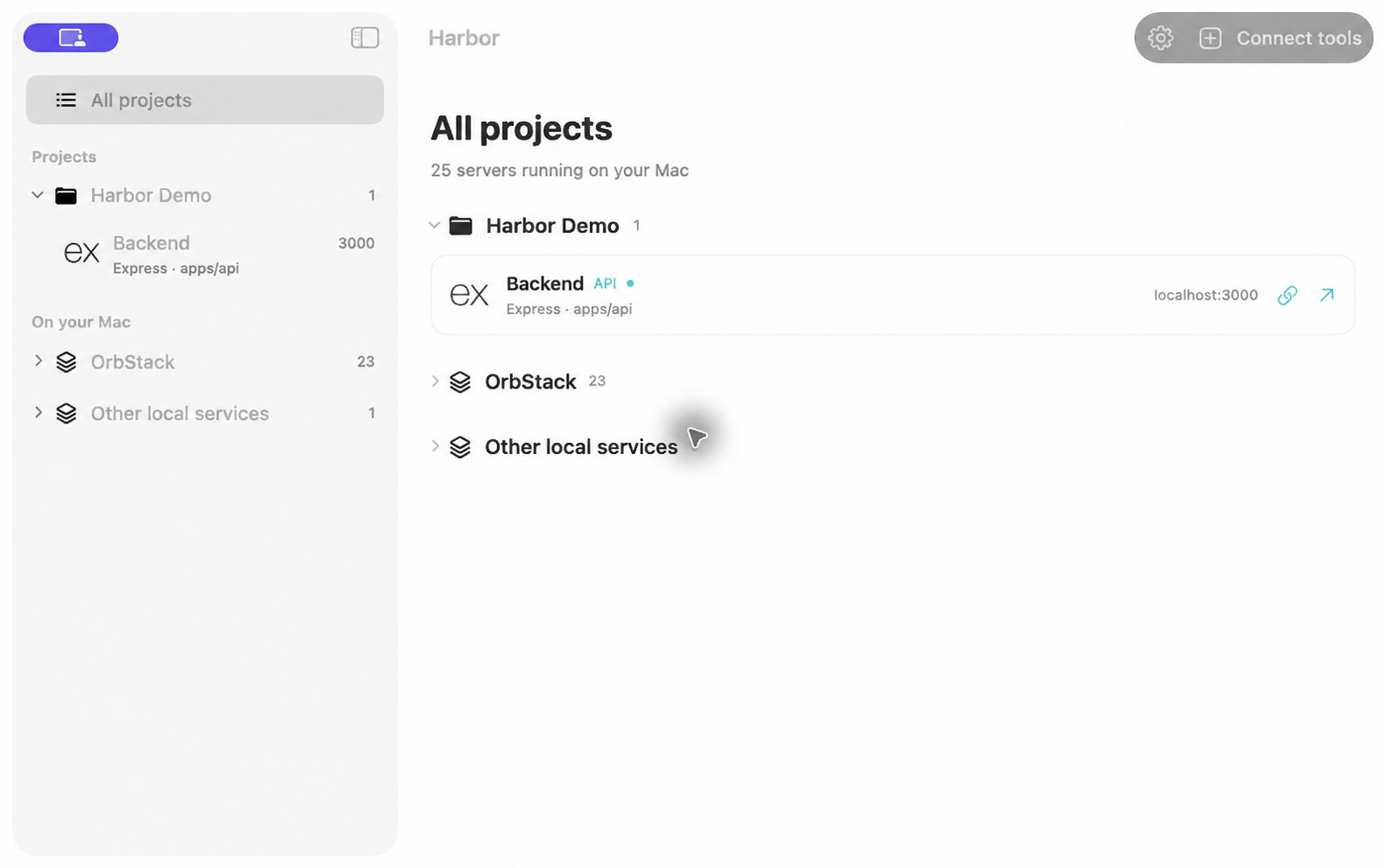
See what’s running, what it does, and which project it belongs to. Linked worktrees stay with their project, where they make sense.
Projects, worktrees & ports Harbor
A little calm for your development workflow
Your servers, ports, and worktrees. All in one place.
Meet the native Mac app that keeps local development shipshape.
Right at home with your tools
 Claude Code
 CursorClaude DesktopConnected through MCP
Less port hunting. More building.
Whether you’re coding by hand or alongside an agent,
Harbor gives your local servers a place to belong.
See what’s running, what it does, and which project it belongs to. Linked worktrees stay with their project, where they make sense.
Projects, worktrees & portsThrough Harbor’s MCP tools, your agent reuses a running server instead of spinning up another. Sticky port claims keep things predictable.
Built for AI coding workflowsA native menu-bar app that keeps watching when you close the window. Open a local URL, inspect a process, or stop a server when you’re done.
Native macOS. Always in reach.From download to clear decks
Unzip Harbor and move it to Applications. Open the app to see your running local servers.
Choose Claude Code, Cursor, or Claude Desktop in setup. Harbor adds its MCP connection and checks that it works.
Restart your coding tool to load Harbor. Your agent can now find, start, and stop servers through MCP.
Harbor requires macOS 14 or later. The download includes support for both Apple silicon and Intel Macs.
No. Harbor discovers local servers and organizes them by project on its own. Connecting Claude Code, Cursor, or Claude Desktop adds server management through MCP.
Harbor protects Apple system processes, other users’ processes, and ports below 1024. Docker and OrbStack services are shown separately with protected stop controls.
Yes. Harbor is signed with Hexmount LLC’s Developer ID and notarized by Apple. Download the latest version here, unzip it, and move Harbor to Applications. macOS may ask you to confirm opening an app downloaded from the internet on first launch.
Your next project has a home.